CentOS 6.4 x86_64
Nginx 1.4.2
1 2 3 | [root@nginx ~]# rpm -ivh http://download.fedoraproject.org/pub/epel/6/x86_64/epel-release-6-8.noarch.rpm[root@web1 ~]# rpm -ivh http://download.fedoraproject.org/pub/epel/6/x86_64/epel-release-6-8.noarch.rpm[root@web2 ~]# rpm -ivh http://download.fedoraproject.org/pub/epel/6/x86_64/epel-release-6-8.noarch.rpm |
1 2 3 | [root@nginx ~]# ntpdate 202.120.2.101[root@web1 ~]# ntpdate 202.120.2.101[root@web2 ~]# ntpdate 202.120.2.101 |
1 2 3 4 5 6 7 8 9 10 11 12 | [root@nginx ~]# service iptables stop[root@nginx ~]# chkconfig iptables off [root@nginx ~]# getenforce Disabled[root@web1 ~]# service iptables stop[root@web1 ~]# chkconfig iptables off [root@web1 ~]# getenforce Disabled[root@web2 ~]# service iptables stop[root@web2 ~]# chkconfig iptables off [root@web2 ~]# getenforce Disabled |
1 | [root@nginx src]# tar xf nginx-1.4.2.tar.gz |
1 2 3 4 | [root@nginx src]# groupadd -g 108 -r nginx[root@nginx src]# useradd -u 108 -r -g 108 nginx [root@nginx src]# id nginx uid=108(nginx) gid=108(nginx) 组=108(nginx) |
1 2 | [root@nginx src]# yum install -y pcre-devel openssl-devel[root@nginx nginx-1.4.2]# ./configure --prefix=/usr --sbin-path=/usr/sbin/nginx --conf-path=/etc/nginx/nginx.conf --error-log-path=/var/log/nginx/error.log --http-log-path=/var/log/nginx/access.log --pid-path=/var/run/nginx/nginx.pid --lock-path=/var/lock/nginx.lock --user=nginx --group=nginx --with-http_ssl_module --with-http_flv_module --with-http_stub_status_module --with-http_gzip_static_module --http-client-body-temp-path=/var/tmp/nginx/client/ --http-proxy-temp-path=/var/tmp/nginx/proxy/ --http-fastcgi-temp-path=/var/tmp/nginx/fcgi/ --http-uwsgi-temp-path=/var/tmp/nginx/uwsgi --http-scgi-temp-path=/var/tmp/nginx/scgi --with-pcre |
1 | [root@nginx nginx-1.4.2]# make && make install |
1 2 3 4 5 6 7 8 9 10 11 12 13 14 15 16 17 18 19 20 21 22 23 24 25 26 27 28 29 30 31 32 33 34 35 36 37 38 39 40 41 42 43 44 45 46 47 48 49 50 51 52 53 54 55 56 57 58 59 60 61 62 63 64 65 66 67 68 69 70 71 72 73 74 75 76 77 78 79 80 81 82 83 84 85 86 87 88 89 90 91 92 93 94 95 96 97 98 99 100 101 102 103 104 105 106 107 108 109 110 | [root@nginx ~]# cat /etc/init.d/nginx#!/bin/sh # # nginx - this script starts and stops the nginx daemon # # chkconfig: - 85 15 # description: Nginx is an HTTP(S) server, HTTP(S) reverse \ # proxy and IMAP/POP3 proxy server # processname: nginx # config: /etc/nginx/nginx.conf # config: /etc/sysconfig/nginx # pidfile: /var/run/nginx.pid # Source function library. . /etc/rc.d/init.d/functions # Source networking configuration. . /etc/sysconfig/network # Check that networking is up. [ "$NETWORKING" = "no" ] && exit 0 nginx="/usr/sbin/nginx" prog=$(basename $nginx) NGINX_CONF_FILE="/etc/nginx/nginx.conf" [ -f /etc/sysconfig/nginx ] && . /etc/sysconfig/nginx lockfile=/var/lock/subsys/nginx make_dirs() { # make required directories user=`nginx -V 2>&1 | grep "configure arguments:" | sed 's/[^*]*--user=\([^ ]*\).*/\1/g' -` options=`$nginx -V 2>&1 | grep 'configure arguments:'` for opt in $options; do if [ `echo $opt | grep '.*-temp-path'` ]; then value=`echo $opt | cut -d "=" -f 2` if [ ! -d "$value" ]; then # echo "creating" $value mkdir -p $value && chown -R $user $value fi fi done } start() { [ -x $nginx ] || exit 5 [ -f $NGINX_CONF_FILE ] || exit 6 make_dirs echo -n $"Starting $prog: " daemon $nginx -c $NGINX_CONF_FILE retval=$? echo [ $retval -eq 0 ] && touch $lockfile return $retval } stop() { echo -n $"Stopping $prog: " killproc $prog -QUIT retval=$? echo [ $retval -eq 0 ] && rm -f $lockfile return $retval } restart() { configtest || return $? stop sleep 1 start } reload() { configtest || return $? echo -n $"Reloading $prog: " killproc $nginx -HUP RETVAL=$? echo } force_reload() { restart } configtest() { $nginx -t -c $NGINX_CONF_FILE } rh_status() { status $prog } rh_status_q() { rh_status >/dev/null 2>&1 } case "$1" in start) rh_status_q && exit 0 $1 ;; stop) rh_status_q || exit 0 $1 ;; restart|configtest) $1 ;; reload) rh_status_q || exit 7 $1 ;; force-reload) force_reload ;; status) rh_status ;; condrestart|try-restart) rh_status_q || exit 0 ;; *) echo $"Usage: $0 {start|stop|status|restart|condrestart|try-restart|reload|force-reload|configtest}" exit 2 esac |
1 | [root@nginx ~]# chmod +x /etc/init.d/nginx |
1 2 3 4 | [root@nginx ~]# chkconfig --add nginx[root@nginx ~]# chkconfig nginx on [root@nginx ~]# chkconfig nginx --list nginx 0:关闭 1:关闭 2:启用 3:启用 4:启用 5:启用 6:关闭 |
1 2 | [root@nginx ~]# service nginx start正在启动 nginx: [确定] |
1 2 | [root@nginx ~]# netstat -ntlp | grep :80tcp 0 0 0.0.0.0:80 0.0.0.0:* LISTEN 3889/nginx |

1 2 | [root@web1 ~]# yum install -y httpd[root@web2 ~]# yum install -y httpd |
1 2 | [root@web1 ~]# echo "<h1>web1.test.com</h1>" > /var/www/html/index.html[root@web2 ~]# echo "<h1>web2.test.com</h1>" > /var/www/html/index.html |
1 2 3 4 | [root@web1 ~]# service httpd start正在启动 httpd: [确定][root@web2 ~]# service httpd start正在启动 httpd: [确定] |

(1).正向代理的概念
正向代理,也就是传说中的代理,他的工作原理就像一个跳板,简单的说,我是一个用户,我访问不了某网站,但是我能访问一个代理服务器,这个代理服务器呢,他能访问那个我不能访问的网站,于是我先连上代理服务器,告诉他我需要那个无法访问网站的内容,代理服务器去取回来,然后返回给我。从网站的角度,只在代理服务器来取内容的时候有一次记录,有时候并不知道是用户的请求,也隐藏了用户的资料,这取决于代理告不告诉网站。
(2).反向代理的概念
(3).两者区别
1 2 3 4 | location / { proxy_pass http://localhost:8000; proxy_set_header X-Real-IP $remote_addr;} |
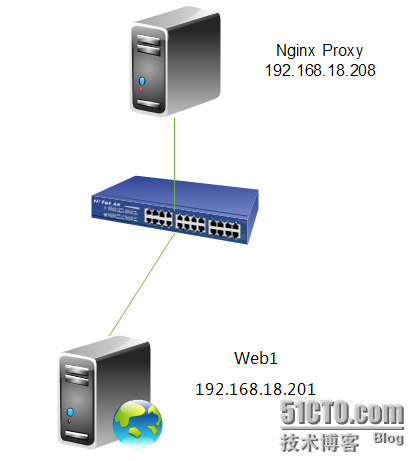
1 2 3 4 5 6 | [root@nginx ~]# cd /etc/nginx/[root@nginx nginx]# cp nginx.conf nginx.conf.bak #备份一个原配置文件[root@nginx nginx]# vim nginx.conflocation / { proxy_pass http://192.168.18.201; } |
1 2 3 4 | [root@nginx ~]# service nginx reloadnginx: the configuration file /etc/nginx/nginx.conf syntax is oknginx: configuration file /etc/nginx/nginx.conf test is successful重新载入 nginx: [确定] |
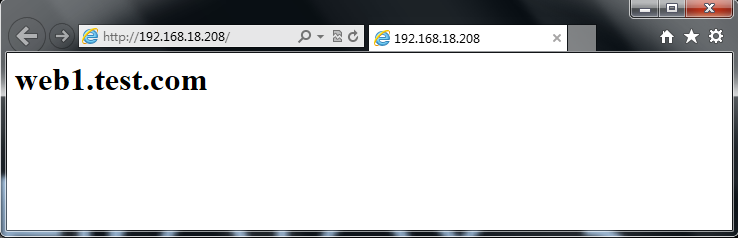
1 2 3 4 5 6 7 8 9 10 11 | [root@web1 ~]# tail /var/log/httpd/access_log192.168.18.208 - - [04/Sep/2013:00:14:20 +0800] "GET /favicon.ico HTTP/1.0" 404 289 "-" "Mozilla/5.0 (Windows NT 6.1; WOW64) AppleWebKit/537.36 (KHTML, like Gecko) Chrome/28.0.1500.95 Safari/537.36"192.168.18.208 - - [04/Sep/2013:00:14:20 +0800] "GET / HTTP/1.0" 200 23 "-" "Mozilla/5.0 (Windows NT 6.1; WOW64) AppleWebKit/537.36 (KHTML, like Gecko) Chrome/28.0.1500.95 Safari/537.36"192.168.18.208 - - [04/Sep/2013:00:14:20 +0800] "GET /favicon.ico HTTP/1.0" 404 289 "-" "Mozilla/5.0 (Windows NT 6.1; WOW64) AppleWebKit/537.36 (KHTML, like Gecko) Chrome/28.0.1500.95 Safari/537.36"192.168.18.138 - - [04/Sep/2013:00:14:45 +0800] "GET / HTTP/1.1" 200 23 "-" "Mozilla/5.0 (Windows NT 6.1; WOW64) AppleWebKit/537.36 (KHTML, like Gecko) Chrome/28.0.1500.95 Safari/537.36"192.168.18.138 - - [04/Sep/2013:00:14:48 +0800] "GET /favicon.ico HTTP/1.1" 404 289 "-" "Mozilla/5.0 (Windows NT 6.1; WOW64) AppleWebKit/537.36 (KHTML, like Gecko) Chrome/28.0.1500.95 Safari/537.36"192.168.18.208 - - [04/Sep/2013:00:14:55 +0800] "GET /favicon.ico HTTP/1.0" 404 289 "-" "Mozilla/5.0 (Windows NT 6.1; WOW64) AppleWebKit/537.36 (KHTML, like Gecko) Chrome/28.0.1500.95 Safari/537.36"192.168.18.208 - - [04/Sep/2013:00:15:05 +0800] "GET /favicon.ico HTTP/1.0" 404 289 "-" "Mozilla/5.0 (Windows NT 6.1; WOW64) AppleWebKit/537.36 (KHTML, like Gecko) Chrome/28.0.1500.95 Safari/537.36"192.168.18.208 - - [04/Sep/2013:00:15:13 +0800] "GET /favicon.ico HTTP/1.0" 404 289 "-" "Mozilla/5.0 (Windows NT 6.1; WOW64) AppleWebKit/537.36 (KHTML, like Gecko) Chrome/28.0.1500.95 Safari/537.36"192.168.18.208 - - [04/Sep/2013:00:15:16 +0800] "GET / HTTP/1.0" 200 23 "-" "Mozilla/5.0 (Windows NT 6.1; WOW64) AppleWebKit/537.36 (KHTML, like Gecko) Chrome/28.0.1500.95 Safari/537.36"192.168.18.208 - - [04/Sep/2013:00:15:16 +0800] "GET /favicon.ico HTTP/1.0" 404 289 "-" "Mozilla/5.0 (Windows NT 6.1; WOW64) AppleWebKit/537.36 (KHTML, like Gecko) Chrome/28.0.1500.95 Safari/537.36" |
1 2 3 4 | location / { proxy_pass http://192.168.18.201; proxy_set_header X-Real-IP $remote_addr; #加上这一行} |
1 2 3 4 | [root@nginx ~]# service nginx reloadnginx: the configuration file /etc/nginx/nginx.conf syntax is oknginx: configuration file /etc/nginx/nginx.conf test is successful重新载入 nginx: [确定] |
1 2 3 4 5 6 7 8 9 10 11 | [root@web1 ~]# tail /var/log/httpd/access_log192.168.18.208 - - [03/Sep/2013:16:26:18 +0800] "GET / HTTP/1.0" 200 23 "-" "Mozilla/5.0 (compatible; MSIE 10.0; Windows NT 6.1; WOW64; Trident/6.0)"192.168.18.208 - - [03/Sep/2013:16:26:18 +0800] "GET / HTTP/1.0" 200 23 "-" "Mozilla/5.0 (compatible; MSIE 10.0; Windows NT 6.1; WOW64; Trident/6.0)"192.168.18.208 - - [03/Sep/2013:16:26:18 +0800] "GET / HTTP/1.0" 200 23 "-" "Mozilla/5.0 (compatible; MSIE 10.0; Windows NT 6.1; WOW64; Trident/6.0)"192.168.18.208 - - [03/Sep/2013:16:26:18 +0800] "GET / HTTP/1.0" 200 23 "-" "Mozilla/5.0 (compatible; MSIE 10.0; Windows NT 6.1; WOW64; Trident/6.0)"192.168.18.208 - - [03/Sep/2013:16:26:18 +0800] "GET / HTTP/1.0" 200 23 "-" "Mozilla/5.0 (compatible; MSIE 10.0; Windows NT 6.1; WOW64; Trident/6.0)"192.168.18.208 - - [03/Sep/2013:16:26:18 +0800] "GET / HTTP/1.0" 200 23 "-" "Mozilla/5.0 (compatible; MSIE 10.0; Windows NT 6.1; WOW64; Trident/6.0)"192.168.18.208 - - [03/Sep/2013:16:26:18 +0800] "GET / HTTP/1.0" 200 23 "-" "Mozilla/5.0 (compatible; MSIE 10.0; Windows NT 6.1; WOW64; Trident/6.0)"192.168.18.208 - - [03/Sep/2013:16:26:18 +0800] "GET / HTTP/1.0" 200 23 "-" "Mozilla/5.0 (compatible; MSIE 10.0; Windows NT 6.1; WOW64; Trident/6.0)"192.168.18.208 - - [03/Sep/2013:16:26:18 +0800] "GET / HTTP/1.0" 200 23 "-" "Mozilla/5.0 (compatible; MSIE 10.0; Windows NT 6.1; WOW64; Trident/6.0)"192.168.18.208 - - [03/Sep/2013:16:26:18 +0800] "GET / HTTP/1.0" 200 23 "-" "Mozilla/5.0 (compatible; MSIE 10.0; Windows NT 6.1; WOW64; Trident/6.0)" |


1 2 3 4 5 6 7 8 9 10 11 12 13 14 | [root@web1 ~]# service httpd restart停止 httpd: [确定]正在启动 httpd: [确定][root@web1 ~]# tail /var/log/httpd/access_log192.168.18.138 - - [03/Sep/2013:17:09:14 +0800] "GET / HTTP/1.0" 200 23 "-" "Mozilla/5.0 (compatible; MSIE 10.0; Windows NT 6.1; WOW64; Trident/6.0)"192.168.18.138 - - [03/Sep/2013:17:09:14 +0800] "GET / HTTP/1.0" 200 23 "-" "Mozilla/5.0 (compatible; MSIE 10.0; Windows NT 6.1; WOW64; Trident/6.0)"192.168.18.138 - - [03/Sep/2013:17:09:15 +0800] "GET / HTTP/1.0" 200 23 "-" "Mozilla/5.0 (compatible; MSIE 10.0; Windows NT 6.1; WOW64; Trident/6.0)"192.168.18.138 - - [03/Sep/2013:17:09:15 +0800] "GET / HTTP/1.0" 200 23 "-" "Mozilla/5.0 (compatible; MSIE 10.0; Windows NT 6.1; WOW64; Trident/6.0)"192.168.18.138 - - [03/Sep/2013:17:09:15 +0800] "GET / HTTP/1.0" 200 23 "-" "Mozilla/5.0 (compatible; MSIE 10.0; Windows NT 6.1; WOW64; Trident/6.0)"192.168.18.138 - - [03/Sep/2013:17:09:15 +0800] "GET / HTTP/1.0" 200 23 "-" "Mozilla/5.0 (compatible; MSIE 10.0; Windows NT 6.1; WOW64; Trident/6.0)"192.168.18.138 - - [03/Sep/2013:17:09:15 +0800] "GET / HTTP/1.0" 200 23 "-" "Mozilla/5.0 (compatible; MSIE 10.0; Windows NT 6.1; WOW64; Trident/6.0)"192.168.18.138 - - [03/Sep/2013:17:09:15 +0800] "GET / HTTP/1.0" 200 23 "-" "Mozilla/5.0 (compatible; MSIE 10.0; Windows NT 6.1; WOW64; Trident/6.0)"192.168.18.138 - - [03/Sep/2013:17:09:15 +0800] "GET / HTTP/1.0" 200 23 "-" "Mozilla/5.0 (compatible; MSIE 10.0; Windows NT 6.1; WOW64; Trident/6.0)"192.168.18.138 - - [03/Sep/2013:17:09:15 +0800] "GET / HTTP/1.0" 200 23 "-" "Mozilla/5.0 (compatible; MSIE 10.0; Windows NT 6.1; WOW64; Trident/6.0)" |
1 2 3 4 5 6 7 8 9 10 11 12 | upstream test.net{ip_hash;server 192.168.10.13:80;server 192.168.10.14:80 down;server 192.168.10.15:8009 max_fails=3 fail_timeout=20s;server 192.168.10.16:8080;}server { location / { proxy_pass http://test.net; }} |
轮询(默认)。每个请求按时间顺序逐一分配到不同的后端服务器,如果后端某台服务器宕机,故障系统被自动剔除,使用户访问不受影响。Weight 指定轮询权值,Weight值越大,分配到的访问机率越高,主要用于后端每个服务器性能不均的情况下。
ip_hash。每个请求按访问IP的hash结果分配,这样来自同一个IP的访客固定访问一个后端服务器,有效解决了动态网页存在的session共享问题。
fair。这是比上面两个更加智能的负载均衡算法。此种算法可以依据页面大小和加载时间长短智能地进行负载均衡,也就是根据后端服务器的响应时间来分配请求,响应时间短的优先分配。Nginx本身是不支持fair的,如果需要使用这种调度算法,必须下载Nginx的upstream_fair模块。
url_hash。此方法按访问url的hash结果来分配请求,使每个url定向到同一个后端服务器,可以进一步提高后端缓存服务器的效率。Nginx本身是不支持url_hash的,如果需要使用这种调度算法,必须安装Nginx 的hash软件包。
down,表示当前的server暂时不参与负载均衡。
backup,预留的备份机器。当其他所有的非backup机器出现故障或者忙的时候,才会请求backup机器,因此这台机器的压力最轻。
max_fails,允许请求失败的次数,默认为1。当超过最大次数时,返回proxy_next_upstream 模块定义的错误。
fail_timeout,在经历了max_fails次失败后,暂停服务的时间。max_fails可以和fail_timeout一起使用。
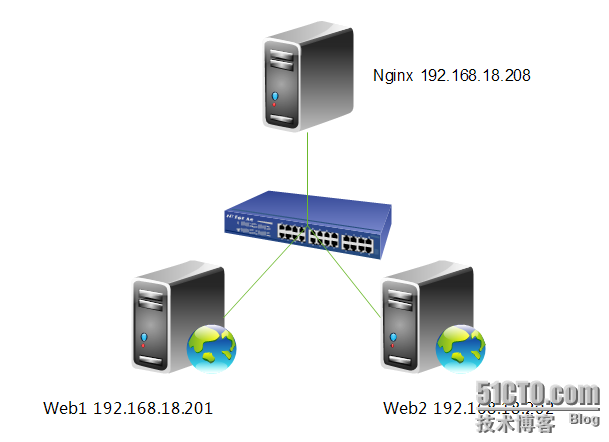
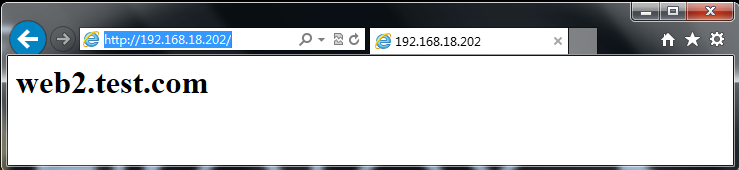
1 2 3 4 5 6 7 8 9 10 11 12 13 14 15 | [root@nginx ~]# vim /etc/nginx/nginx.confupstream webservers { server 192.168.18.201 weight=1; server 192.168.18.202 weight=1; } server { listen 80; server_name localhost; #charset koi8-r; #access_log logs/host.access.log main; location / { proxy_pass http://webservers; proxy_set_header X-Real-IP $remote_addr; }} |
1 2 3 4 | [root@nginx ~]# service nginx reloadnginx: the configuration file /etc/nginx/nginx.conf syntax is oknginx: configuration file /etc/nginx/nginx.conf test is successful重新载入 nginx: [确定] |
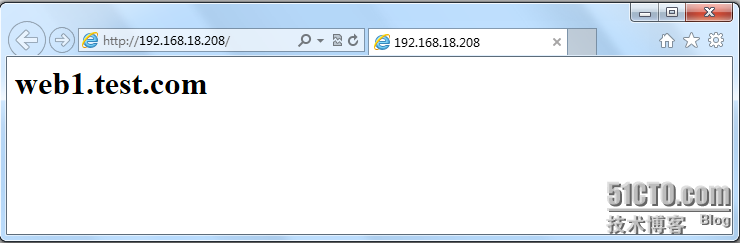
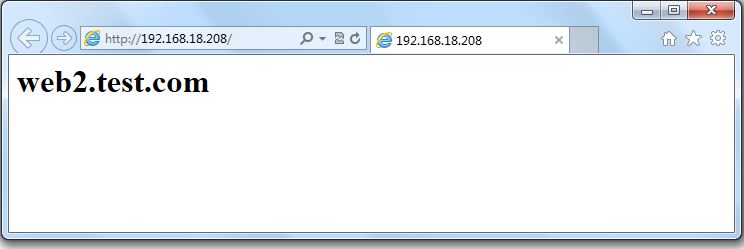
1 2 3 4 5 6 7 8 9 10 11 | [root@web1 ~]# tail /var/log/httpd/access_log192.168.18.138 - - [04/Sep/2013:09:41:58 +0800] "GET / HTTP/1.0" 200 23 "-" "Mozilla/5.0 (compatible; MSIE 10.0; Windows NT 6.1; WOW64; Trident/6.0)"192.168.18.138 - - [04/Sep/2013:09:41:58 +0800] "GET / HTTP/1.0" 200 23 "-" "Mozilla/5.0 (compatible; MSIE 10.0; Windows NT 6.1; WOW64; Trident/6.0)"192.168.18.138 - - [04/Sep/2013:09:41:59 +0800] "GET / HTTP/1.0" 200 23 "-" "Mozilla/5.0 (compatible; MSIE 10.0; Windows NT 6.1; WOW64; Trident/6.0)"192.168.18.138 - - [04/Sep/2013:09:41:59 +0800] "GET / HTTP/1.0" 200 23 "-" "Mozilla/5.0 (compatible; MSIE 10.0; Windows NT 6.1; WOW64; Trident/6.0)"192.168.18.138 - - [04/Sep/2013:09:42:00 +0800] "GET / HTTP/1.0" 200 23 "-" "Mozilla/5.0 (compatible; MSIE 10.0; Windows NT 6.1; WOW64; Trident/6.0)"192.168.18.138 - - [04/Sep/2013:09:42:00 +0800] "GET / HTTP/1.0" 200 23 "-" "Mozilla/5.0 (compatible; MSIE 10.0; Windows NT 6.1; WOW64; Trident/6.0)"192.168.18.138 - - [04/Sep/2013:09:42:00 +0800] "GET / HTTP/1.0" 200 23 "-" "Mozilla/5.0 (compatible; MSIE 10.0; Windows NT 6.1; WOW64; Trident/6.0)"192.168.18.138 - - [04/Sep/2013:09:44:21 +0800] "GET / HTTP/1.0" 200 23 "-" "Mozilla/5.0 (compatible; MSIE 10.0; Windows NT 6.1; WOW64; Trident/6.0)"192.168.18.138 - - [04/Sep/2013:09:44:22 +0800] "GET / HTTP/1.0" 200 23 "-" "Mozilla/5.0 (compatible; MSIE 10.0; Windows NT 6.1; WOW64; Trident/6.0)"192.168.18.138 - - [04/Sep/2013:09:44:22 +0800] "GET / HTTP/1.0" 200 23 "-" "Mozilla/5.0 (compatible; MSIE 10.0; Windows NT 6.1; WOW64; Trident/6.0)" |
1 2 3 4 5 | [root@web2 ~]# vim /etc/httpd/conf/httpd.confLogFormat "%{X-Real-IP}i %l %u %t \"%r\" %>s %b \"%{Referer}i\" \"%{User-Agent}i\"" combined[root@web2 ~]# service httpd restart停止 httpd: [确定]正在启动 httpd: [确定] |
1 2 3 4 5 6 7 8 9 10 11 | [root@web2 ~]# tail /var/log/httpd/access_log192.168.18.138 - - [04/Sep/2013:09:50:28 +0800] "GET / HTTP/1.0" 200 23 "-" "Mozilla/5.0 (compatible; MSIE 10.0; Windows NT 6.1; WOW64; Trident/6.0)"192.168.18.138 - - [04/Sep/2013:09:50:28 +0800] "GET / HTTP/1.0" 200 23 "-" "Mozilla/5.0 (compatible; MSIE 10.0; Windows NT 6.1; WOW64; Trident/6.0)"192.168.18.138 - - [04/Sep/2013:09:50:28 +0800] "GET / HTTP/1.0" 200 23 "-" "Mozilla/5.0 (compatible; MSIE 10.0; Windows NT 6.1; WOW64; Trident/6.0)"192.168.18.138 - - [04/Sep/2013:09:50:28 +0800] "GET / HTTP/1.0" 200 23 "-" "Mozilla/5.0 (compatible; MSIE 10.0; Windows NT 6.1; WOW64; Trident/6.0)"192.168.18.138 - - [04/Sep/2013:09:50:28 +0800] "GET / HTTP/1.0" 200 23 "-" "Mozilla/5.0 (compatible; MSIE 10.0; Windows NT 6.1; WOW64; Trident/6.0)"192.168.18.138 - - [04/Sep/2013:09:50:28 +0800] "GET / HTTP/1.0" 200 23 "-" "Mozilla/5.0 (compatible; MSIE 10.0; Windows NT 6.1; WOW64; Trident/6.0)"192.168.18.138 - - [04/Sep/2013:09:50:28 +0800] "GET / HTTP/1.0" 200 23 "-" "Mozilla/5.0 (compatible; MSIE 10.0; Windows NT 6.1; WOW64; Trident/6.0)"192.168.18.138 - - [04/Sep/2013:09:50:28 +0800] "GET / HTTP/1.0" 200 23 "-" "Mozilla/5.0 (compatible; MSIE 10.0; Windows NT 6.1; WOW64; Trident/6.0)"192.168.18.138 - - [04/Sep/2013:09:50:29 +0800] "GET / HTTP/1.0" 200 23 "-" "Mozilla/5.0 (compatible; MSIE 10.0; Windows NT 6.1; WOW64; Trident/6.0)"192.168.18.138 - - [04/Sep/2013:09:50:29 +0800] "GET / HTTP/1.0" 200 23 "-" "Mozilla/5.0 (compatible; MSIE 10.0; Windows NT 6.1; WOW64; Trident/6.0)" |
max_fails,允许请求失败的次数,默认为1。当超过最大次数时,返回proxy_next_upstream 模块定义的错误。
fail_timeout,在经历了max_fails次失败后,暂停服务的时间。max_fails可以和fail_timeout一起使用,进行健康状态检查。
1 2 3 4 5 | [root@nginx ~]# vim /etc/nginx/nginx.confupstream webservers { server 192.168.18.201 weight=1 max_fails=2 fail_timeout=2; server 192.168.18.202 weight=1 max_fails=2 fail_timeout=2; } |
1 2 3 4 | [root@nginx ~]# service nginx reloadnginx: the configuration file /etc/nginx/nginx.conf syntax is oknginx: configuration file /etc/nginx/nginx.conf test is successful重新载入 nginx: [确定] |
1 2 3 | 先停止Web1,进行测试。[root@web1 ~]# service httpd stop停止 httpd: [确定] |
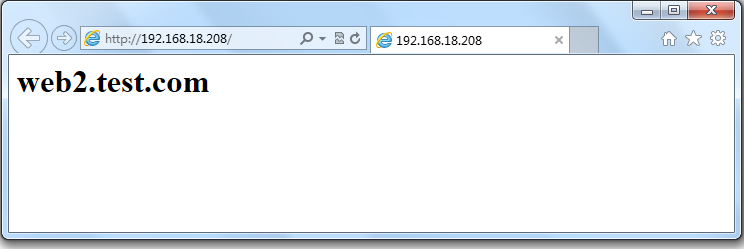
1 2 | [root@web1 ~]# service httpd start正在启动 httpd: [确定] |
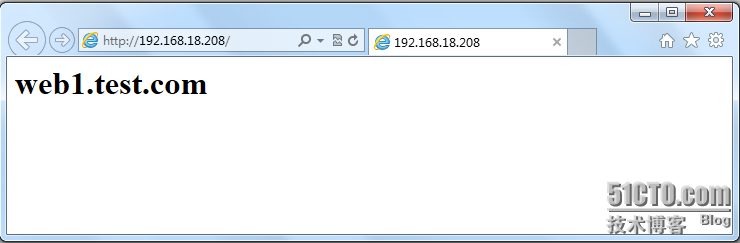
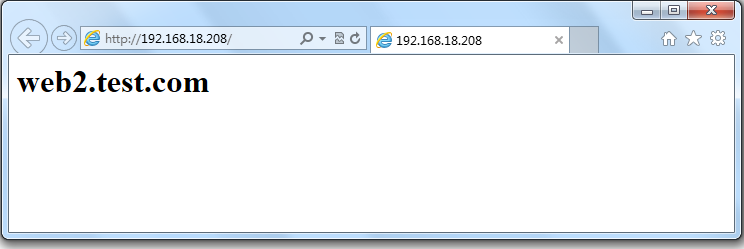
1 2 3 4 5 6 7 8 9 10 11 12 13 14 15 | [root@nginx ~]# vim /etc/nginx/nginx.confserver { listen 8080; server_name localhost; root /data/www/errorpage; index index.html; }upstream webservers { server 192.168.18.201 weight=1 max_fails=2 fail_timeout=2; server 192.168.18.202 weight=1 max_fails=2 fail_timeout=2; server 127.0.0.1:8080 backup; }[root@nginx ~]# mkdir -pv /data/www/errorpage[root@nginx errorpage]# cat index.html<h1>Sorry......</h1> |
1 2 3 4 | [root@nginx errorpage]# service nginx reloadnginx: the configuration file /etc/nginx/nginx.conf syntax is oknginx: configuration file /etc/nginx/nginx.conf test is successful重新载入 nginx: [确定] |
1 2 3 4 | [root@web1 ~]# service httpd stop停止 httpd: [确定][root@web2 ~]# service httpd stop停止 httpd: [确定] |
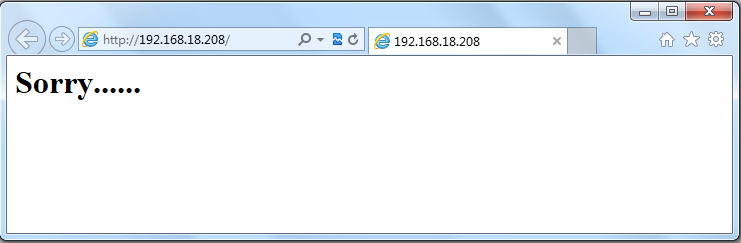
ip_hash,每个请求按访问IP的hash结果分配,这样来自同一个IP的访客固定访问一个后端服务器,有效解决了动态网页存在的session共享问题。(一般电子商务网站用的比较多)
1 2 3 4 5 6 7 | [root@nginx ~]# vim /etc/nginx/nginx.confupstream webservers { ip_hash; server 192.168.18.201 weight=1 max_fails=2 fail_timeout=2; server 192.168.18.202 weight=1 max_fails=2 fail_timeout=2; #server 127.0.0.1:8080 backup; } |
1 2 3 4 | [root@nginx ~]# service nginx reloadnginx: the configuration file /etc/nginx/nginx.conf syntax is oknginx: configuration file /etc/nginx/nginx.conf test is successful重新载入 nginx: [确定] |
1 2 | [root@web2 ~]# netstat -an | grep :80 | wc -l304 |
proxy_cache_path
1 | proxy_cache_path /data/nginx/cache levels=1:2 keys_zone=one:10m; |
1 | /data/nginx/cache/c/29/b7f54b2df7773722d382f4809d65029c |
1 2 3 | proxy_cache_path /data/nginx/cache/one levels=1 keys_zone=one:10m;proxy_cache_path /data/nginx/cache/two levels=2:2 keys_zone=two:100m;proxy_cache_path /data/nginx/cache/three levels=1:1:2 keys_zone=three:1000m; |
proxy_cache
proxy_cache_valid
1 2 | proxy_cache_valid 200 302 10m;proxy_cache_valid 404 1m; |
1 | proxy_cache_valid 5m; |
1 2 3 | proxy_cache_valid 200 302 10m;proxy_cache_valid 301 1h;proxy_cache_valid any 1m; |
1 2 3 4 5 6 7 8 9 10 11 12 13 14 | [root@nginx ~]# vim /etc/nginx/nginx.confproxy_cache_path /data/nginx/cache/webserver levels=1:2 keys_zone=webserver:20m max_size=1g; server { listen 80; server_name localhost; #charset koi8-r; #access_log logs/host.access.log main; location / { proxy_pass http://webservers; proxy_set_header X-Real-IP $remote_addr; proxy_cache webserver; proxy_cache_valid 200 10m; }} |
1 | [root@nginx ~]# mkdir -pv /data/nginx/cache/webserver |
1 2 3 4 | [root@nginx webserver]# service nginx reloadnginx: the configuration file /etc/nginx/nginx.conf syntax is oknginx: configuration file /etc/nginx/nginx.conf test is successful重新载入 nginx: [确定] |
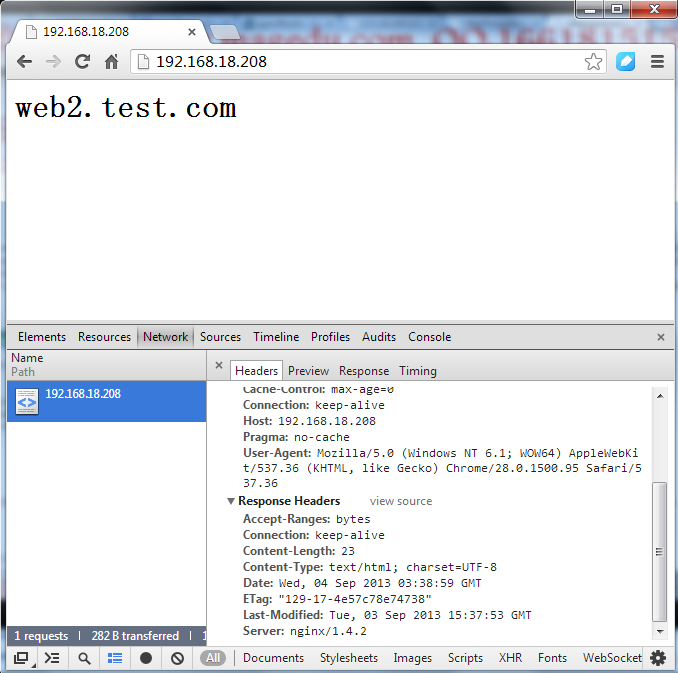
$server_addr
$upstream_cache_status
MISS 未命中
EXPIRED - expired。请求被传送到后端。
UPDATING - expired。由于proxy/fastcgi_cache_use_stale正在更新,将使用旧的应答。
STALE - expired。由于proxy/fastcgi_cache_use_stale,后端将得到过期的应答。
HIT 命中
1 2 3 4 5 6 7 8 9 10 11 12 13 14 15 16 17 | [root@nginx ~]# vim /etc/nginx/nginx.confproxy_cache_path /data/nginx/cache/webserver levels=1:2 keys_zone=webserver:20m max_size=1g; server { listen 80; server_name localhost; #charset koi8-r; #access_log logs/host.access.log main; #增加两头部 add_header X-Via $server_addr; add_header X-Cache $upstream_cache_status; location / { proxy_pass http://webservers; proxy_set_header X-Real-IP $remote_addr; proxy_cache webserver; proxy_cache_valid 200 10m; }} |
1 2 3 4 | [root@nginx ~]# service nginx reloadnginx: the configuration file /etc/nginx/nginx.conf syntax is oknginx: configuration file /etc/nginx/nginx.conf test is successful重新载入 nginx: [确定] |
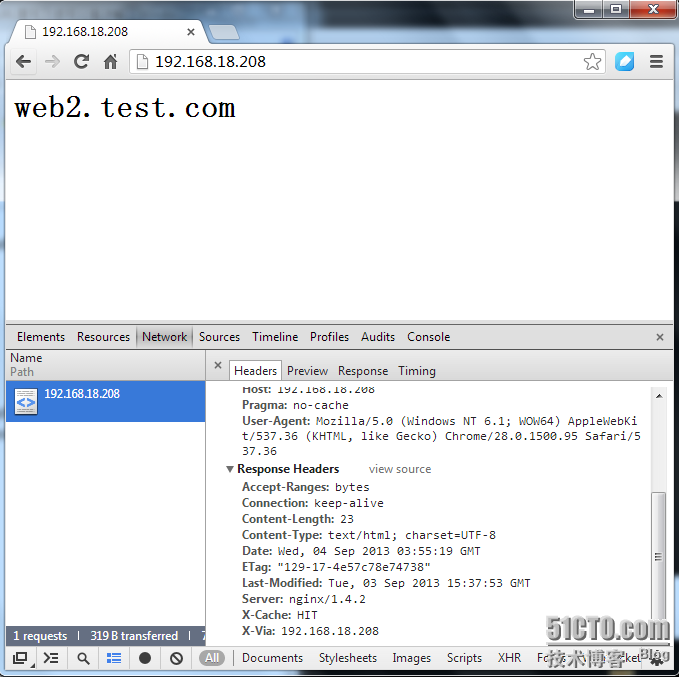
1 2 3 | [root@nginx ~]# cd /data/nginx/cache/webserver/f/63/[root@nginx 63]# ls681ad4c77694b65d61c9985553a2763f |
1.URL重写模块(Rewrite)
指令
break
1 2 3 4 | if ($slow) { limit_rate 10k; break;} |
if
一个变量的名称;不成立的值为:空字符传”“或者一些用“0”开始的字符串。
一个使用=或者!=运算符的比较语句。
使用符号~*和~模式匹配的正则表达式:
~为区分大小写的匹配。
~*不区分大小写的匹配(firefox匹配FireFox)。
!~和!~*意为“不匹配的”。
使用-f和!-f检查一个文件是否存在。
使用-d和!-d检查一个目录是否存在。
使用-e和!-e检查一个文件,目录或者软链接是否存在。
使用-x和!-x检查一个文件是否为可执行文件。
1 2 3 4 5 6 7 8 9 10 11 12 13 14 15 16 17 18 19 20 21 22 23 24 25 26 27 28 | if ($http_user_agent ~ MSIE) { rewrite ^(.*)$ /msie/$1 break;} if ($http_cookie ~* "id=([^;] +)(?:;|$)" ) { set $id $1;} if ($request_method = POST ) { return 405;} if (!-f $request_filename) { break; proxy_pass http://127.0.0.1;} if ($slow) { limit_rate 10k;} if ($invalid_referer) { return 403;} if ($args ~ post=140){ rewrite ^ http://example.com/ permanent;} |
return
rewrite
last - 完成重写指令,之后搜索相应的URI或location。
break - 完成重写指令。
redirect - 返回302临时重定向,如果替换字段用http://开头则被使用。
permanent - 返回301永久重定向。
1 2 3 | rewrite ^(/download/.*)/media/(.*)\..*$ $1/mp3/$2.mp3 last;rewrite ^(/download/.*)/audio/(.*)\..*$ $1/mp3/$2.ra last;return 403; |
1 2 3 4 5 | location /download/ { rewrite ^(/download/.*)/media/(.*)\..*$ $1/mp3/$2.mp3 break; rewrite ^(/download/.*)/audio/(.*)\..*$ $1/mp3/$2.ra break; return 403;} |
1 | rewrite ^/users/(.*)$ /show?user=$1? last; |
1 | /photos/123456 |
1 | /path/to/photos/12/1234/123456.png |
1 | rewrite "/photos/([0-9] {2})([0-9] {2})([0-9] {2})" /path/to/photos/$1/$1$2/$1$2$3.png; |
1 2 3 4 | server { server_name www.example.com; rewrite ^ http://example.com$request_uri? permanent;} |
1 2 3 | if ($args ^~ post=100){ rewrite ^ http://example.com/new-address.html? permanent;} |
rewrite_log
set
uninitialized_variable_warn
1 2 3 4 5 6 7 8 | location /download/ { if ($forbidden) { return 403; } if ($slow) { limit_rate 10k; } rewrite ^/(download/.*)/media/(.*)\..*$ /$1/mp3/$2.mp3 break; |
1 2 3 4 5 6 7 8 9 10 11 12 13 14 | variable $forbiddenchecking to zerorecovery 403completion of entire codevariable $slowchecking to zerocheckings of regular excodessioncopying "/"copying $1copying "/mp3/"copying $2copying ".mp3"completion of regular excodessioncompletion of entire sequence |
1 | rewrite ^/(download/.*)/media/(.*)\..*$ /$1/mp3/$2.mp3 break; |
1 | rewrite ^(/download/.*)/media/(.*)\..*$ $1/mp3/$2.mp3 break; |
1 2 3 4 5 6 7 | checking regular excodessioncopying $1copying "/mp3/"copying $2copying ".mp3"completion of regular excodessioncompletion of entire code |
2.简单案例注,由于配置文件内容较多,为了让大家看着方便,我们备份一下配置文件,打开一个新的配置文件。1 2 3 4 5 6 7 8 9 10 11 12 13 14 15 | [root@nginx ~]# cd /etc/nginx/[root@nginx nginx]# mv nginx.conf nginx.conf.proxy[root@nginx nginx]# cp nginx.conf.bak nginx.conf[root@nginx nginx]# vim /etc/nginx/nginx.confserver { listen 80; server_name localhost; #charset koi8-r; #access_log logs/host.access.log main; location / { root html; index index.html index.htm; rewrite ^/bbs/(.*)$ http://192.168.18.201/forum/$1; }} |
准备forum目录与测试文件1 2 3 4 5 6 7 | [root@web1 ~]# cd /var/www/html/[root@web1 html]# lsindex.html[root@web1 html]# mkdir forum[root@web1 html]# cd forum/[root@web1 forum]# vim index.html<h1>forum page!</h1> |
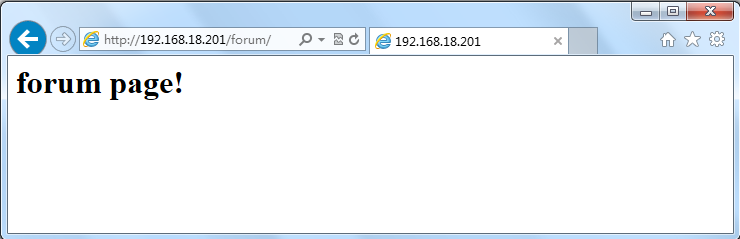
3.重新加载一下配置文件1 2 3 4 | [root@nginx 63]# service nginx reloadnginx: the configuration file /etc/nginx/nginx.conf syntax is oknginx: configuration file /etc/nginx/nginx.conf test is successful重新载入 nginx: [确定] |

1 2 3 4 5 6 7 8 9 10 11 12 | [root@nginx nginx]# vim /etc/nginx/nginx.confserver { listen 80; server_name localhost; #charset koi8-r; #access_log logs/host.access.log main; location / { root html; index index.html index.htm; rewrite ^/bbs/(.*)$ /forum/$1; }} |
准备forum目录与测试文件1 2 3 4 5 6 7 | [root@nginx ~]# cd /usr/html/[root@nginx html]# ls50x.html index.html[root@nginx html]# mkdir forum[root@nginx html]# cd forum/[root@nginx forum]# vim index.html<h1>192.168.18.208 forum page</h1> |
1 2 3 4 | [root@nginx ~]# service nginx reloadnginx: the configuration file /etc/nginx/nginx.conf syntax is oknginx: configuration file /etc/nginx/nginx.conf test is successful重新载入 nginx: [确定] |
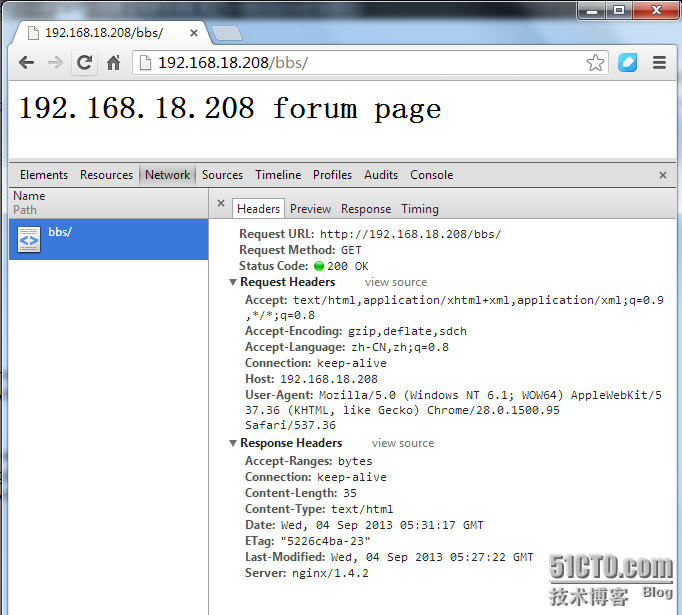
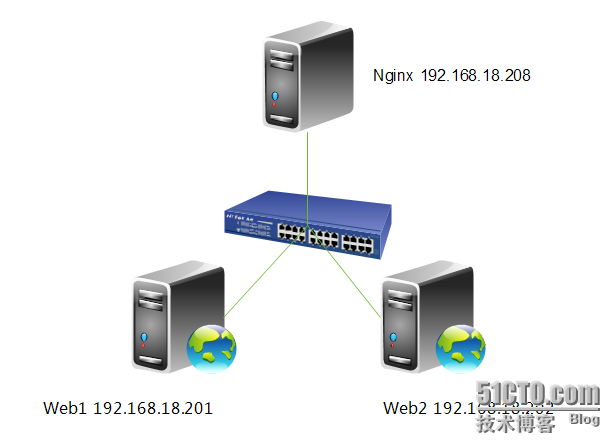
1 2 3 4 5 6 7 8 9 10 11 12 13 | [root@nginx nginx]# vim /etc/nginx/nginx.confserver { listen 80; server_name localhost; #charset koi8-r; #access_log logs/host.access.log main; location / { proxy_pass http://192.168.18.202; if ($request_method = "PUT"){ proxy_pass http://192.168.18.201; } }} |
1 2 3 4 | [root@nginx ~]# service nginx reloadnginx: the configuration file /etc/nginx/nginx.conf syntax is oknginx: configuration file /etc/nginx/nginx.conf test is successful重新载入 nginx: [确定] |
1 | [root@web1 ~]# vim /etc/httpd/conf/httpd.conf |

1 2 3 | [root@web1 ~]# service httpd restart停止 httpd: [确定]正在启动 httpd: [确定] |
1 2 3 4 | [root@nginx ~]# curl http://192.168.18.201<h1>web1.test.com</h1>[root@nginx ~]# curl http://192.168.18.202<h1>web2.test.com</h1> |
1 2 3 4 5 6 7 8 9 10 | [root@nginx ~]# curl -T /etc/issue http://192.168.18.202<!DOCTYPE HTML PUBLIC "-//IETF//DTD HTML 2.0//EN"><html><head><title>405 Method Not Allowed</title></head><body><h1>Method Not Allowed</h1>The requested method PUT is not allowed for the URL /issue.<hr><address>Apache/2.2.15 (CentOS) Server at 192.168.18.202 Port 80</address></body></html> |
1 2 3 4 5 6 7 8 9 10 11 | [root@nginx ~]# curl -T /etc/issue http://192.168.18.201<!DOCTYPE HTML PUBLIC "-//IETF//DTD HTML 2.0//EN"><html><head><title>403 Forbidden</title></head><body><h1>Forbidden</h1>You don't have permission to access /issueon this server.<hr><address>Apache/2.2.15 (CentOS) Server at 192.168.18.201 Port 80</address></body></html> |
1 | [root@web1 ~]# setfacl -m u:apache:rwx /var/www/html/ |
1 2 3 4 5 6 7 8 9 10 | [root@nginx ~]# curl -T /etc/issue http://192.168.18.201<!DOCTYPE HTML PUBLIC "-//IETF//DTD HTML 2.0//EN"><html><head><title>201 Created</title></head><body><h1>Created</h1>Resource /issue has been created.<hr /><address>Apache/2.2.15 (CentOS) Server at 192.168.18.201 Port 80</address></body></html> |
1 2 3 4 5 6 | [root@web1 ~]# cd /var/www/html/[root@web1 html]# ll总用量 12drwxr-xr-x 2 root root 4096 9月 4 13:16 forum-rw-r--r-- 1 root root 23 9月 3 23:37 index.html-rw-r--r-- 1 apache apache 47 9月 4 14:06 issue |